Modulators overview
A patch is more than a static tone. The thing that separates a living, breathing sound from a frozen one is modulation: sources that move over time, routed to destinations that respond. Aconite’s modulation system is built around one idea: anything that generates movement can be pointed at anything that accepts it.
Sources, destinations, and the matrix
Section titled “Sources, destinations, and the matrix”The modulation system has three parts:
Sources generate values that change over time. Aconite has more than forty of them:
- The envelope pool: six ADSR envelopes, each also available in drawn contour form. Note-triggered, note-released.
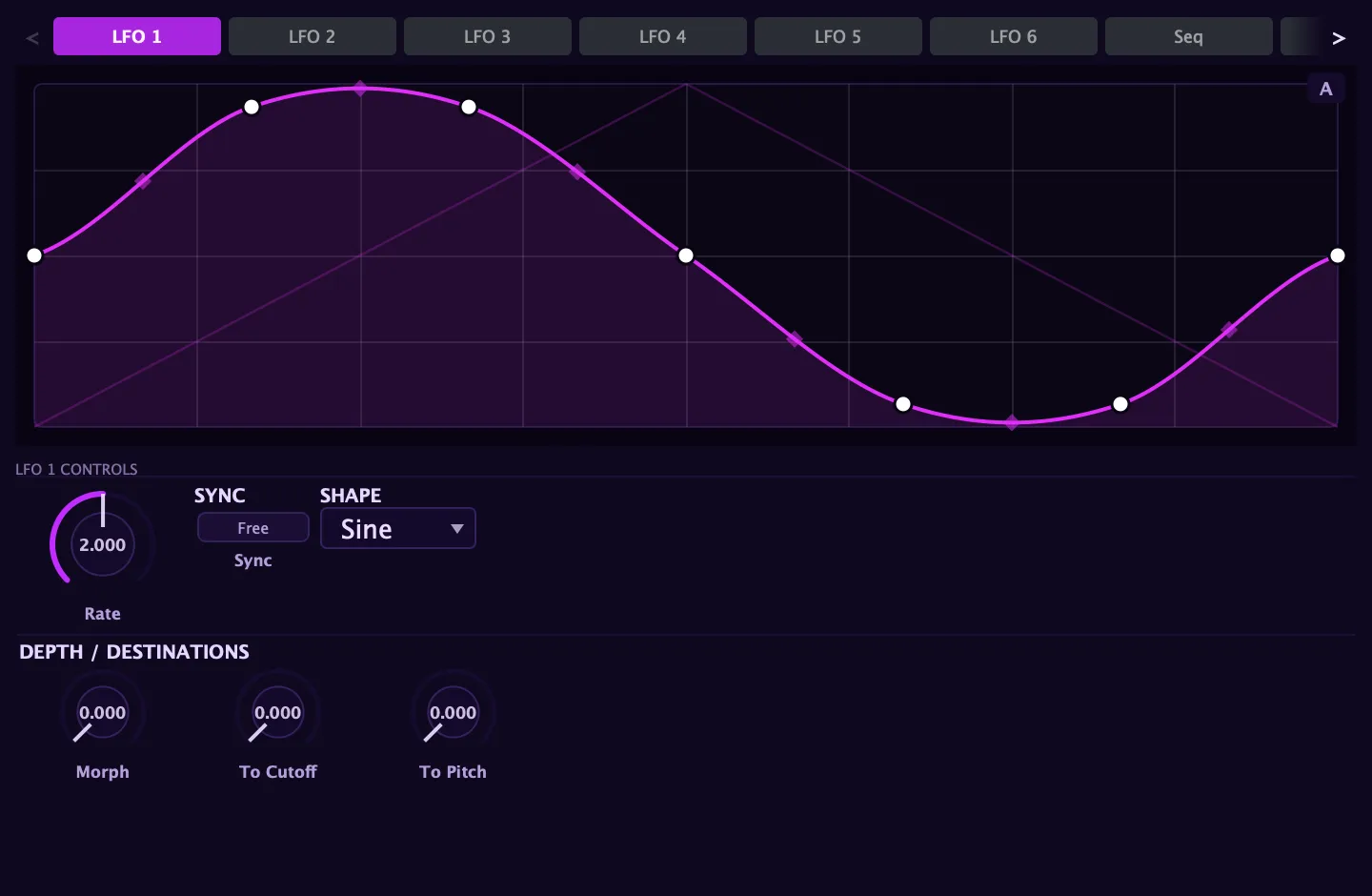
- The LFOs: six tempo-syncable oscillators (LFO 1–2 drawable, 3–6 matrix-only) that run freely or retrigger on each note.
- The envelope follower: a source that tracks the signal’s own level and turns dynamics into modulation.
- The step sequencer and the Performer: pattern generators with their own clocks, described in detail below.
- Curve 1–4: four drawable, pattern-synced automation lanes that loop a hand-drawn shape against the transport, independent of note events.
- Noise: an audio-rate random signal for thick, dense modulation, such as FM grit, PWM flutter, and cutoff textures that no LFO shape can produce.
- Performance controls: velocity, key position (keytrack), pitch and mod wheels, MPE pressure and slide, four macro knobs, and eight learnable MIDI CC inputs.
- Arp lanes: the arpeggiator exposes its step position, velocity accent, and gate as sources, so the arp can modulate anything it touches.
- The Stutter sources: four tempo-synced burst-gates you route to chop, gate, or re-articulate a sound rhythmically, described on their own page.
Destinations are the controls that respond to modulation. The modulation matrix lists dozens of them across every section: oscillator pitch and level, filter cutoff, resonance, drive and morph, envelope times, LFO rates, waveshaper parameters, pan, and more.
The matrix is where sources meet destinations. Each of the 24 slots in the matrix takes a source, a destination, an optional transform, and a depth amount. The matrix chapter covers this in full.
The Modulators panel
Section titled “The Modulators panel”The Modulators panel holds Aconite’s standalone generators, the sources that exist on their own clock, independent of note events. A scrolling tab strip across the top selects one at a time:
| Tab | What it is |
|---|---|
| LFO 1 – 6 | Six low-frequency oscillators (LFO 1–2 drawable, LFO 3–6 matrix-only) |
| Seq | The step sequencer |
| Perf | The Performer curve sequencer |
| Bus LFO 1 – 2 | Two LFOs dedicated to the effects and master bus |
| Env Follow | The envelope follower |
Each tab shows that source’s editor and controls. Setting a source up here is separate from routing it: you shape the LFO, draw the step levels, or set the follower’s attack time, then wire it to a destination in the matrix or through a right-click on any knob.
The right-click shortcut
Section titled “The right-click shortcut”You do not have to open the matrix to add modulation. Right-click any knob and choose Add modulation from the menu that appears. A submenu lists every available source; pick one and a route is created at a sensible default depth. The dot that appears on the knob marks the destination as modulated, and a colored arc animates in real time to show how far the source is currently pushing the value.
This is the fastest workflow: shape your sound first, then right-click the controls you want to move and assign sources directly. The matrix fills in automatically. Visit it when you want to tune depths precisely, add Via transforms, or review everything that is moving in the patch at once.
How the two tiers fit together
Section titled “How the two tiers fit together”Aconite’s modulation splits into two tiers:
- Per-voice modulation: each note carries its own copy of every envelope, LFO, and follower. One note’s filter envelope does not interfere with another’s. This is what makes a legato chord shimmer rather than collapse into a single moving curve.
- Bus modulation: a second set of two LFOs and eight routing slots runs once for the whole mix, modulating the effects rack and master output. A macro can breathe the reverb size, a bus LFO can auto-pan the whole output, or a drawn curve lane can automate the EQ tilt across a section.
Both tiers share the same matrix grid. Choosing a bus destination in the matrix automatically routes to the bus tier; choosing a voice destination routes per-voice. The scope badge in each row tells you which is active.
The step sequencer
Section titled “The step sequencer”The step sequencer advances through a grid of levels one step at a time, clocked by its own rate. You draw the step levels in the shape editor (the same editor used by the LFOs) and the sequencer reads them in order.
- Direction: choose how the playhead moves through the steps, either Forward (left to right), Reverse (right to left), Ping-Pong (forward then backward, alternating), or Random (picks an unpredictable step each clock tick).
- Per-step Glide: mark individual steps as glided. A glided step slides toward its level over its full duration rather than jumping immediately, smoothing the transition from the previous value. Non-glided steps jump cleanly.
- Transport lock: when the step sequencer is synced to tempo, Transport lock aligns the playhead to the bar. Instead of free-running from note-on, the sequence locks to song position, so every pass starts at the same point in the bar.
- Rate: one full pass through all steps per cycle, in free Hz or locked to a tempo division.
Route the step sequencer from the modulation matrix or right-click any knob and choose it under Add modulation.
The Performer
Section titled “The Performer”The Performer is a curve-per-step sequencer. Where the step sequencer plays a single flat level per step, the Performer plays a whole shaped sub-curve over each step’s duration. The shape for each step is chosen from a per-step curve library:
| Shape | Character |
|---|---|
| Saw Dn | Falls across the step |
| Saw Up | Rises across the step |
| Triangle | Rises then falls |
| Decay | Starts high, decays to zero |
| Rise | Starts low, rises to the step level |
| Pulse | A rectangular pulse mid-step |
| Sine | A full sine arc over the step |
| Flat | Holds the step level (equivalent to the step sequencer) |
Beyond the curve shape, each step has:
- Level: scales how high that step’s curve reaches.
- XFade: ramps from the previous step’s ending value into the start of the current curve, smoothing the transition instead of jumping to the new shape abruptly.
The Performer runs at the same Rate/Sync controls as the step sequencer and routes through the modulation matrix in the same way.